
Modern video games are more visually advanced than ever. High-resolution textures, detailed environments, realistic lighting effects, and expansive open worlds require powerful hardware capable of processing massive amounts of graphical data. While many gamers focus on the graphics card model or GPU performance, one question remains unanswered by many; how much VRAM do I need?
VRAM plays a critical role in storing and managing the visual information that games need to render images quickly. Without enough VRAM, even a capable graphics card can struggle with demanding titles, resulting in lower performance, texture issues, and inconsistent gameplay. Understanding how much VRAM you need can help gamers choose the right hardware and achieve a better overall gaming experience.
What VRAM does Inside a Gaming PC?
VRAM is dedicated memory located directly on a graphics card. Unlike standard system RAM, which handles general computer tasks, VRAM is specifically designed to support GPU operations. During gameplay, VRAM stores essential graphical assets such as:
- High-resolution textures
- Character models
- Environmental details
- Lighting data
- Shadow information
- Frame buffers
- Shader resources
When a game loads a detailed environment, the graphics card uses VRAM to quickly access the necessary information required to generate each frame. The more complex the visual elements, the more memory the GPU needs to store and process them efficiently.
For example, a game running at 4K resolution with ultra-quality textures requires significantly more VRAM than the same game running at 1080p with medium settings. This is because higher resolutions and advanced graphical features increase the amount of data that must be available during rendering.
When sufficient VRAM is available, the GPU can maintain smooth performance because it does not need to constantly move data between slower system memory and the graphics card.
How Much VRAM do Modern Games need?
The amount of VRAM required depends on the games you play, your monitor resolution, and your preferred graphics settings. There is no universal number that works for every gamer, but general guidelines can help determine the right capacity.
Full HD Gaming
For 1080p gaming, many modern games can run well with moderate VRAM amounts. Players using standard settings for competitive games or older titles typically do not need extremely large memory capacities.
1440p Resolution
For 1440p gaming, VRAM becomes more important because games use larger textures and more detailed assets. Players targeting high settings at this resolution benefit from graphics cards with increased VRAM capacity.
4K, 4x what Full HD Delivers
For 4K gaming, higher VRAM capacity is often essential. Ultra-high resolutions require significantly more memory for textures, frame buffers, and visual effects. Games with ray tracing enabled can increase VRAM requirements even further.
Signs Your Graphics Card Needs More VRAM
A graphics card running out of VRAM does not always cause a complete system failure. Instead, it often creates performance problems that become noticeable during demanding gameplay. Common signs of insufficient VRAM include:
- Sudden frame rate drops
- Stuttering during movement
- Delayed texture loading
- Blurry textures that sharpen later
- Reduced visual quality despite high settings
- Longer loading times
These issues happen because the GPU cannot store all required graphical assets locally.
Open-world games are particularly affected because they continuously load new areas, objects, and textures as players explore large environments. Competitive gamers may notice these problems more severely because inconsistent frame rates and sudden performance drops can affect reaction time and overall responsiveness.
VRAM is Important, but it Works with other Hardware
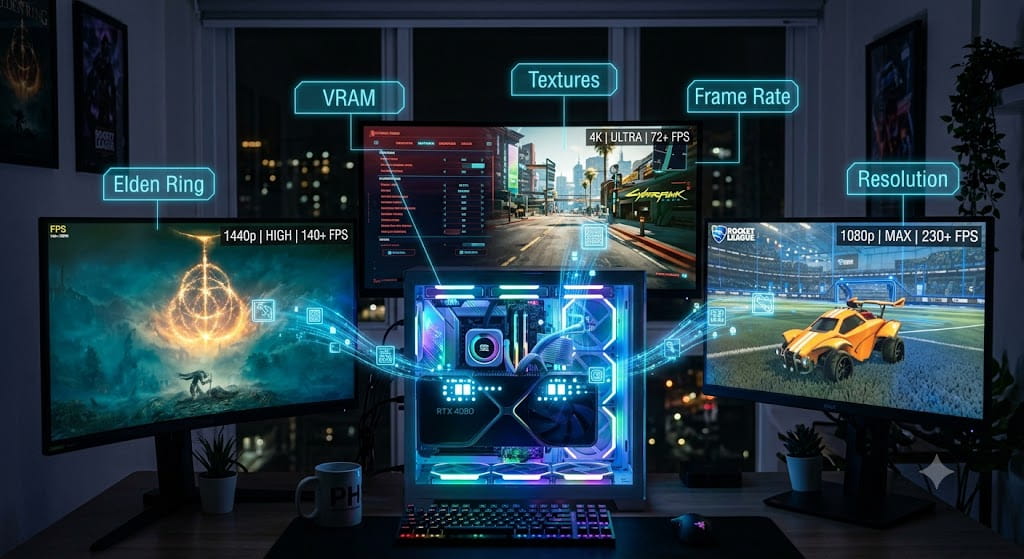
Although VRAM is a major factor in gaming performance, it is only one part of a complete gaming system. A graphics card with large VRAM capacity will not automatically outperform a weaker GPU with less memory.
For example, a graphics card with excessive VRAM but limited processing capability may still struggle with demanding games. Likewise, a powerful GPU with insufficient VRAM may experience memory-related performance limitations.
The ideal graphics card provides a balance between GPU power and VRAM capacity based on the user’s gaming goals.
A player who mainly enjoys esports titles may prioritize high frame rates over extreme texture quality, while someone playing visually demanding single-player games may benefit from a larger VRAM capacity.
Choosing VRAM for Long-Term Gaming Performance
VRAM has become one of the most important considerations when selecting a gaming graphics card. As games continue to increase in complexity, having enough video memory helps ensure smoother performance, better visual quality, and fewer hardware limitations.
The right amount of VRAM depends on how you play. Resolution, graphics settings, game types, and future upgrade plans all influence the ideal choice. While buying more VRAM than necessary does not automatically improve performance, having too little can quickly become a limitation as new games demand more resources.
For gamers building or upgrading a PC, VRAM should be evaluated alongside overall GPU performance and system balance. Choosing hardware with enough memory capacity ensures that every pixel can be processed efficiently, allowing players to enjoy detailed worlds, stable frame rates, and a smoother gaming experience for years to come.